Learn how secure access platforms protect remote workers by providing safe connections, managing threats, and supporting compliance in a digital world.
Introduction to Secure Access Platforms
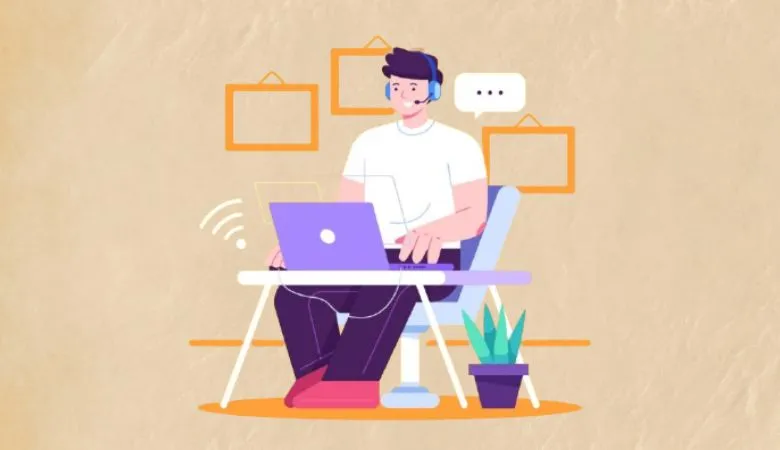
The rise of remote work has changed how organizations operate and protect their digital assets. Employees now connect from homes, coffee shops, and even while traveling, making it harder to maintain a secure network boundary. Secure access platforms offer a solution by creating protected pathways for remote workers to reach company resources. These platforms are designed to keep data safe, manage risks, and ensure business continuity, even when teams are widely dispersed.
The Role of Secure Access in Remote Work
Secure access platforms use a combination of security technologies to shield remote workers from cyber threats. Key features include multi-factor authentication (MFA), data encryption, and centralized control over who can access what. These features help stop unauthorized users from reaching sensitive information. To understand how these solutions function in real-world scenarios, you can explore how SASE improves network security for remote work. By enabling secure connections and enforcing strict access policies, these platforms support organizations as they adapt to hybrid and flexible work models. According to the Cybersecurity & Infrastructure Security Agency (CISA), organizations must adopt layered security controls to protect against evolving threats.
Authentication and Identity Protection
One of the main pillars of secure access platforms is strong identity protection. These systems require users to verify their identities using more than just a password, often combining something they know (like a password) with something they have (such as a mobile device) or something they are (like a fingerprint). This approach, known as multi-factor authentication, greatly reduces the risk of unauthorized access. Identity and access management (IAM) tools also monitor user activity and can spot suspicious behavior, such as login attempts from unusual locations or devices. The National Institute of Standards and Technology (NIST) highlights the importance of MFA in stopping account takeovers.
Encryption and Data Security
Data security is a top concern for organizations with remote teams. Secure access platforms encrypt information as it travels between remote devices and company servers. Encryption scrambles data, making it unreadable to anyone without the proper decryption key. This is especially important when employees are working from public Wi-Fi networks, which are often targeted by hackers. Encryption ensures that sensitive details like business plans, customer information, and financial data remain confidential. The U.S. Cybersecurity and Infrastructure Security Agency (CISA) explains why encryption is essential for protecting data outside the office. Implementing strong encryption standards, such as AES-256, can make it nearly impossible for attackers to intercept and use the data even if they manage to capture it.
Threat Detection and Response
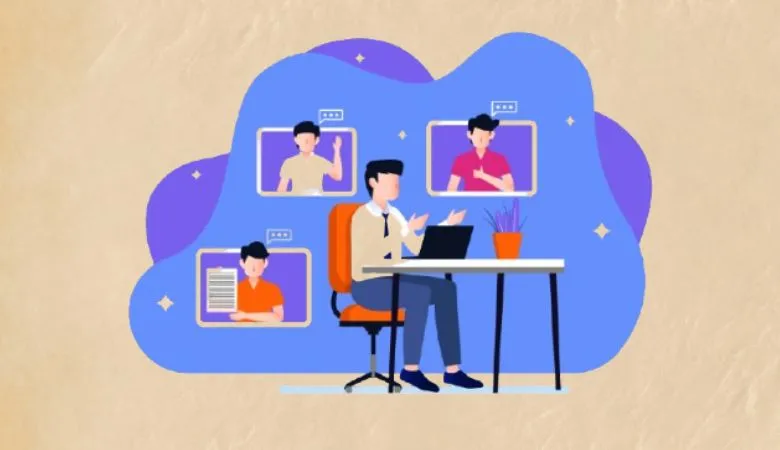
Remote work increases the attack surface for cybercriminals. Secure access platforms help organizations by constantly monitoring network activity. They use real-time analytics and automated tools to spot unusual patterns, such as unexpected data transfers or login attempts from foreign countries. If a potential threat is detected, the system can trigger alerts and even block access automatically. Some platforms use artificial intelligence (AI) to detect new forms of malware or phishing attacks. These features are vital for keeping remote teams safe from ransomware, spyware, and other evolving threats. The FBI has noted a sharp rise in attacks against remote workers, issuing joint cybersecurity advisory for remote workers.
Centralized Access Controls
Managing who can access company systems is a critical part of remote work security. Secure access platforms give administrators the tools to set and adjust permissions based on each user’s role. This means employees only see the information and applications needed for their job, reducing the chance of accidental data leaks or intentional misuse. Centralized controls also make it simple to revoke access when someone leaves the organization or changes roles. With a single dashboard, IT teams can manage permissions, track user activity, and respond quickly to incidents. This level of control is essential for organizations with large or distributed teams.
Zero Trust Principles in Secure Access
Zero Trust is a security philosophy that assumes every user, device, and application could be a potential threat. Instead of trusting users just because they are inside the network, Zero Trust requires verification at every step. Secure access platforms often use Zero Trust principles, meaning every access request is checked, even if it comes from a known employee or trusted device. This approach makes it much harder for attackers to move around the network if they do get in. The U.S. Department of Defense recommends Zero Trust as a best practice for both public and private organizations.
Supporting Compliance and Privacy
Organizations in sectors like healthcare, finance, and government must follow strict privacy and security regulations. Secure access platforms help meet these requirements by tracking user activity, encrypting sensitive data, and maintaining detailed logs. This makes it easier to prove compliance with standards like GDPR, HIPAA, and various state or national privacy laws. Regular audits and automated reports ensure that organizations can quickly provide evidence of compliance if needed. By keeping personal and financial information secure, these platforms help companies avoid costly fines and maintain the trust of customers and partners.
Simplifying Remote Work Management
Managing a distributed workforce can be challenging for IT teams. Secure access platforms offer centralized dashboards that show real-time user activity, system health, and potential security issues. This visibility allows IT departments to spot problems early and resolve them before they become serious incidents. Automated reporting tools simplify the process of preparing for audits and compliance checks, reducing the risk of human error. With these tools, organizations can scale their remote work programs more easily and respond to new security challenges without adding extra staff.
Device Security and Endpoint Protection
Remote workers often use a mix of company-issued and personal devices, which can introduce additional risks. Secure access platforms typically include features for device security, such as endpoint protection and compliance checks. These tools ensure that only devices meeting security standards like up-to-date antivirus software and operating systems can connect to company resources. If a device is found to be out of compliance, access can be restricted or denied automatically. This helps prevent malware and other threats from spreading across the network.
User Education and Security Awareness
Technology alone cannot stop all cyber threats. Secure access platforms are most effective when combined with regular user education. Employees should be trained to recognize phishing emails, use strong passwords, and follow security policies. Organizations can use online training programs, simulated phishing attacks, and regular reminders to keep security top of mind. When workers understand their role in protecting company data, the entire organization becomes more resilient to attacks. Ongoing education also helps employees adapt to new threats and technologies as remote work evolves.
Best Practices for Remote Work Security
To get the most benefit from secure access platforms, organizations should follow a few key best practices. First, keep all systems and software up to date with the latest patches. Second, require multi-factor authentication for all remote access. Third, limit user permissions to only what is needed for each job. Fourth, regularly review access logs and investigate any unusual activity. Finally, combine technology solutions with employee training and clear security policies. By following these steps, organizations can build a strong defense against the many threats facing remote workers today.
Conclusion
Secure access platforms are a vital part of protecting remote workers in the modern digital world. By providing secure connections, managing identities, and monitoring for threats, these platforms help organizations keep data safe and maintain compliance. When combined with employee training and strong security policies, they create a robust shield against cyber risks. As remote work continues to grow, investing in secure access solutions will be essential for any organization that values safety, privacy, and productivity.
FAQ
A secure access platform is a system that controls and protects connections between remote users and company resources. It uses tools like encryption, authentication, and access controls to keep data safe.
Secure access helps protect sensitive company data from cyber threats. It ensures that only authorized users can connect to business systems, reducing the risk of data breaches.
Encryption turns data into unreadable code while it travels over networks. This prevents hackers from stealing or tampering with information sent between remote devices and company servers.
Zero Trust is a security approach that requires every user and device to be verified before accessing company resources. Secure access platforms often use Zero Trust to prevent unauthorized access.
Yes, these platforms keep logs of user activity and protect sensitive data, making it easier for organizations to meet legal and industry compliance requirements